
Real-time location
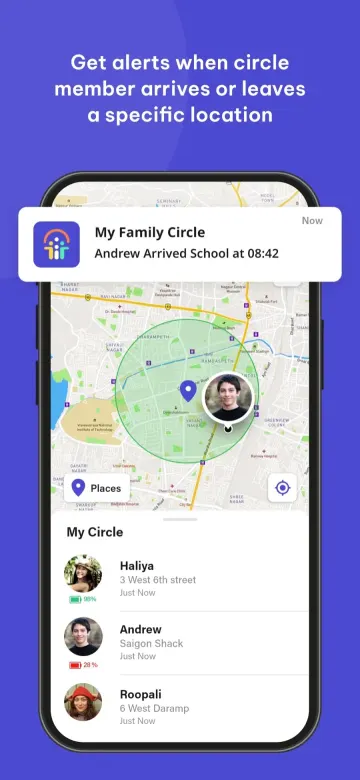
See every member of your circle on a live map, with their latest address and how recently they checked in.
Every LifeCircle feature is designed around one idea: knowing the people you love are safe, without having to ask.
See every member of your circle on a live map, with their latest address and how recently they checked in.
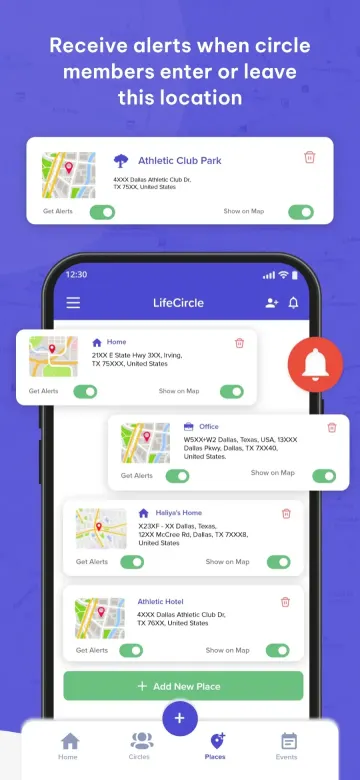
Save places like home, school or work and get notified the moment someone arrives or leaves.
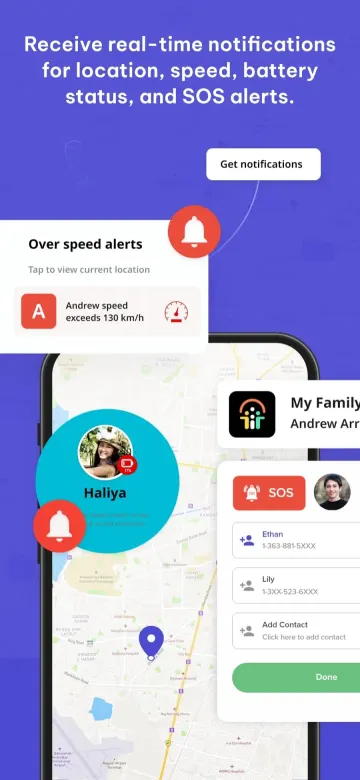
Signal for help without saying a word. Your circle instantly gets your location and an emergency alert.
Retrace the routes your family took today or earlier in the week, stop by stop.
Know when a family member exceeds a speed limit so you can talk about safer driving.
Get warned when a loved one’s phone is running low — before they go dark.
Message your whole circle in one private space, right next to the map.
Family, friends, carpool, team — create separate private circles and control who sees what.
Your circle is invite-only via a unique code. Pause sharing or leave a circle whenever you like.
Turn on only the alerts you need. LifeCircle tells you when something changes, so you don’t have to keep checking.
Tap any screen to enlarge it.
Yes — both apps are free to download on the App Store and Google Play. Optional membership plans unlock extra features for larger circles.
LifeCircle: Family & Friends is the main app for parents, partners and friends. LifeCircle: Find My Kid is a lightweight app for your child’s phone that pairs with the parent app.
Open your circle in the app and share its unique invite code or QR code. When they enter it, they join your circle.
Yes. Create separate circles for family, friends or a carpool, and choose what each one sees.
Only the people in circles you have joined. Circles are private and invite-only, and you can pause sharing or leave a circle at any time.
Tap SOS in the app and everyone in your circle immediately receives an alert with your live location.
Free to download. Create a private circle in under a minute and invite the people who matter.