The 3 Best Family Locator Apps for Real-Time Location Sharing
Choosing a family locator app is about more than seeing dots on a map. The right tool should give you dependable real-time location sharing, respect everyone's privacy and fit how your family actually lives.
Below are three practical options, ranked by how well they serve families. We put our own app first, and we explain why, so you can judge for yourself.
What to Look For in a GPS Family Tracker
Before comparing apps, decide what matters most to your household. A good GPS family tracker should offer:
- Live, accurate location with a clear sense of how recent the update is
- Arrival and departure alerts for places like home and school
- A way to call for help quickly in an emergency
- Privacy controls, including invite-only groups and the ability to pause sharing
- Kid-friendly options for children who need a simpler experience
If you are wondering about the best app to track family location securely, privacy and consent should be at the top of your list. Everyone in the group should know their location is being shared and agree to it.
1. LifeCircle: Family & Friends and Find My Kid
LifeCircle ranks first because it is built specifically as a family safety app, not a general mapping tool with sharing added on. It comes as two apps that work together:
- LifeCircle: Family & Friends for parents, partners, relatives and friends
- LifeCircle: Find My Kid for children, which pairs with a parent's phone using a code
Key features
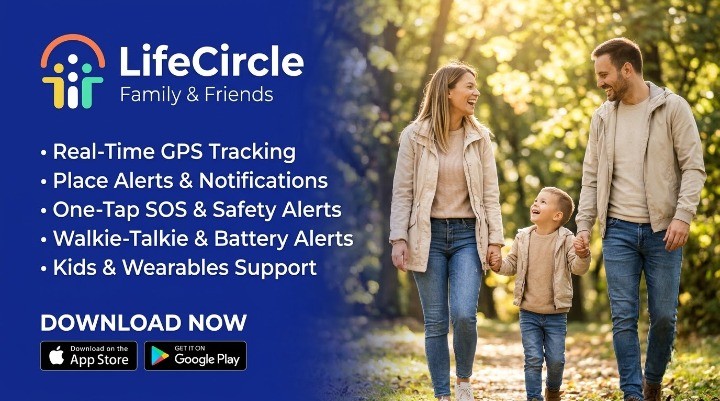
- Real-time location: See every member of your circle on a live map, with their latest address and how recently they checked in.
- Place alerts: Save home, school or work and get notified when someone arrives or leaves.
- One-tap SOS: Signal for help without saying a word. Your circle instantly receives your location and an emergency alert.
- Location history: Retrace routes from today or earlier in the week, stop by stop.
- Speed and driving alerts: Know when a family member exceeds a speed limit, so you can talk about safer driving.
- Battery status: Get warned when a loved one's phone is running low.
- Circle chat and multiple circles: Keep family, friends, carpool and team groups separate and private.
Why it stands out
As a find my kids app, the dedicated Find My Kid app gives children their own experience while parents stay in the Family & Friends app. Circles are invite-only via a unique code, and anyone can pause sharing or leave a circle whenever they like.
Plans scale with your family. Silver covers the essentials, Gold adds Find My Kid for one child, walkie-talkie and offline alerts, and Platinum supports up to 10 children plus smartwatch support. Compare details on our plans page.
2. Apple Find My
Apple's built-in Find My is a convenient choice for households where everyone uses Apple devices. It lets people share their location with family and contacts, and it is already on the phone.
Best for: All-Apple families who want basic location sharing without installing anything extra.
Consider: It is designed mainly around Apple's ecosystem, so mixed Android and iPhone families may find it limiting. It is a general tool rather than a dedicated family safety app. Check Apple's current documentation for the latest capabilities.
3. Google Maps Location Sharing
Google Maps lets you share your location with specific people for a set time or until you turn it off. It works across many devices and is familiar to most users.
Best for: Quick, occasional sharing, such as letting someone know you are on your way.
Consider: It is primarily a navigation app. Families wanting place alerts, SOS, driving insights or a dedicated kids' experience will typically need a purpose-built app. Review Google's help pages for current features.
How to Share Real-Time Location With Family
If you are learning how to share real-time location with family, these steps keep things smooth and respectful:
- Talk first. Explain why you want to share locations and agree on expectations together.
- Choose one app everyone can use, regardless of phone type.
- Create a private circle and invite members with a unique code.
- Set up key places like home and school so alerts work automatically.
- Review settings together, including how to pause sharing.
- Revisit the arrangement as children grow and routines change.
Our help center walks through setup step by step.
A Note on Tracking Remote Employees
Some readers search for an app for tracking remote employees. LifeCircle is designed for families and friends. A voluntary team circle can work for colleagues who choose to share with each other, but workplace location monitoring raises consent and legal questions that vary by location. If you are considering it for staff, speak with an employment lawyer or HR professional first.
Peace of Mind, Built Around Trust
The best peace of mind family safety solutions combine good technology with open conversation. Location sharing works best when everyone understands it, agrees to it and knows how to use features like SOS. In a real emergency, always contact your local emergency services first.
LifeCircle brings live location, place alerts, SOS and a dedicated kids' app together in one private space. Explore everything on our features page.
Get Started
If LifeCircle sounds like the right fit for your family, you can download the apps here and set up your first circle in minutes.